
Create New Files
Create common file types directly in the current folder.
Short answer: JoyClick can create new files — including TXT, RTF, XML, Word, Excel, PowerPoint, WPS, Pages, Numbers, Keynote, Illustrator, Photoshop and Markdown — directly in the current Finder folder from the right-click menu.
Mac Finder has no universal "New File" command. JoyClick adds one. From the right-click menu you can create a new file of a common type instantly in the folder you are already viewing, either from the New File submenu or from a picker window. Custom templates are supported, so you can start new documents from your own boilerplate.
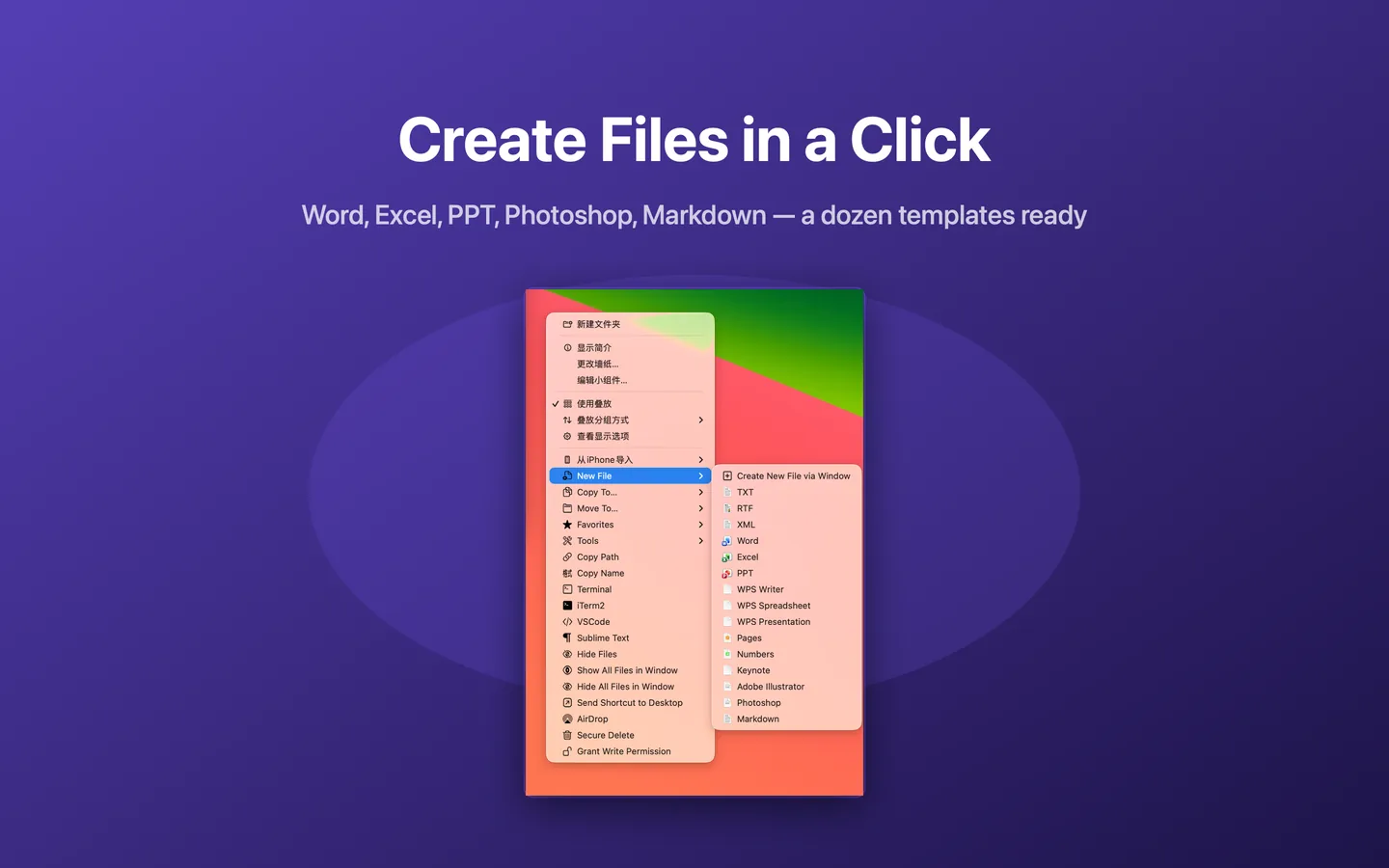
What Create New Files can do
- 15 built-in file templates across text, office, Apple and design formats
- Create a file instantly in the current folder from the New File submenu
- Create a file via a picker window
- Support for custom templates
- Works without opening a separate application first
How it works
- Right-click inside a Finder window or on the desktop.
- Choose New File and pick a file type, or open the picker window.
- JoyClick creates the new file in the current folder and selects it, ready to rename or open.
When to use it
- You are in a folder and want a blank text, Markdown or office document.
- You want to start a new file from a custom template instead of a blank document.
- You want to avoid opening an app, creating a file, then saving it into the right folder.
Availability and limitations
Create New Files is part of JoyClick, a macOS utility that requires macOS 14.0+. Some actions require granting JoyClick permission to the folders it works in. Available actions may depend on the selected file type and the applications installed on your Mac.
Frequently Asked Questions
What file types can JoyClick create?
JoyClick includes 15 built-in templates, including TXT, RTF, XML, Word, Excel, PowerPoint, WPS, Pages, Numbers, Keynote, Illustrator, Photoshop and Markdown. Custom templates are also supported.
Where is the new file created?
JoyClick creates the new file directly in the folder you right-clicked, so it is ready to rename or open immediately.
Can I create a Markdown file on Mac with JoyClick?
Yes. Markdown is one of the built-in templates in the New File action.
Try Create New Files on your Mac
Download JoyClick - Right-Click Tools on the Mac App Store. Requires macOS 14.0+, $8.99 one-time purchase, privacy: Data Not Collected.