Create New Files
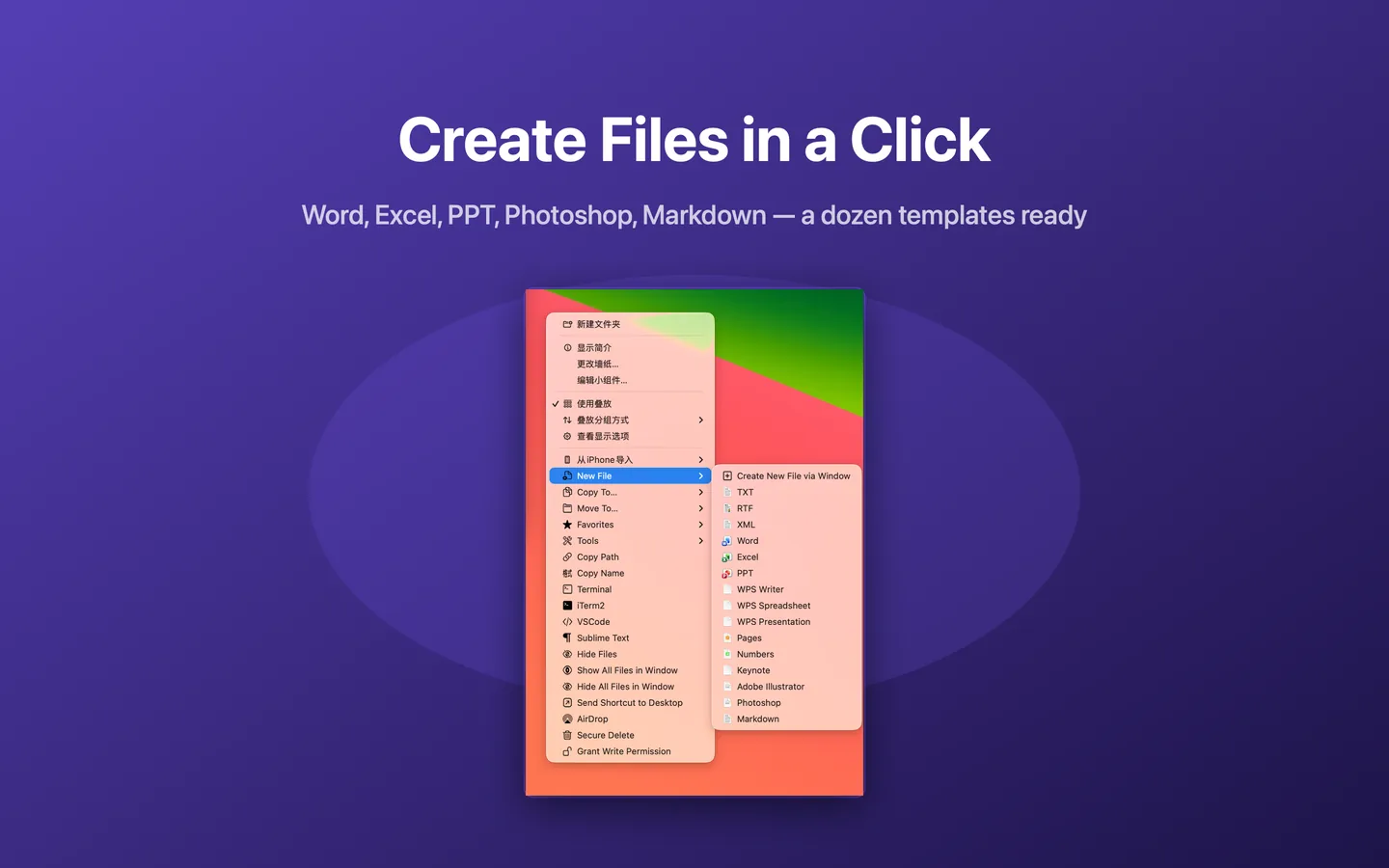
Create common file types directly in the current folder.
TXTRTFXMLWord
Make everyday file management faster on Mac. JoyClick adds powerful file actions to your right-click menu, including new file creation, batch rename, copy and move, duplicate finding, file hashing, image conversion, and quick access to Terminal and code editors.

JoyClick is a macOS utility that adds frequently used file management actions to the right-click context menu. Instead of switching between Finder windows, applications and utilities, you can perform common file operations directly from the context menu.
It is designed for the small, repeated tasks that slow you down: creating a blank file, renaming a batch of downloads, moving files to a project folder, checking a checksum, or opening the current folder in Terminal.
Eleven capabilities, all available from the Finder right-click menu.
Create common file types directly in the current folder.
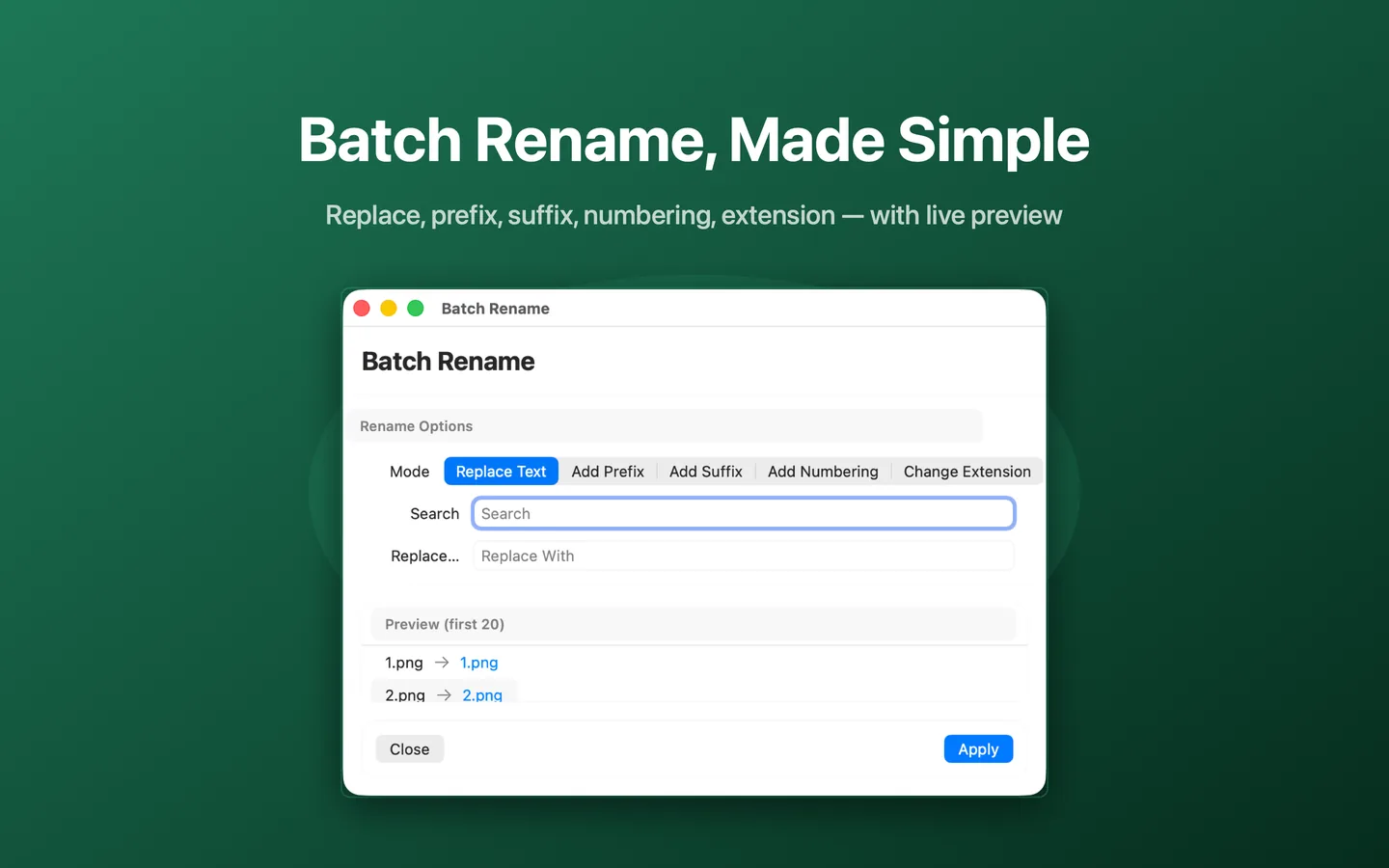
Rename many files at once with a live preview.
Send files to favorite or recent destinations in one click.
Pin frequently used folders and apps for one-click access.
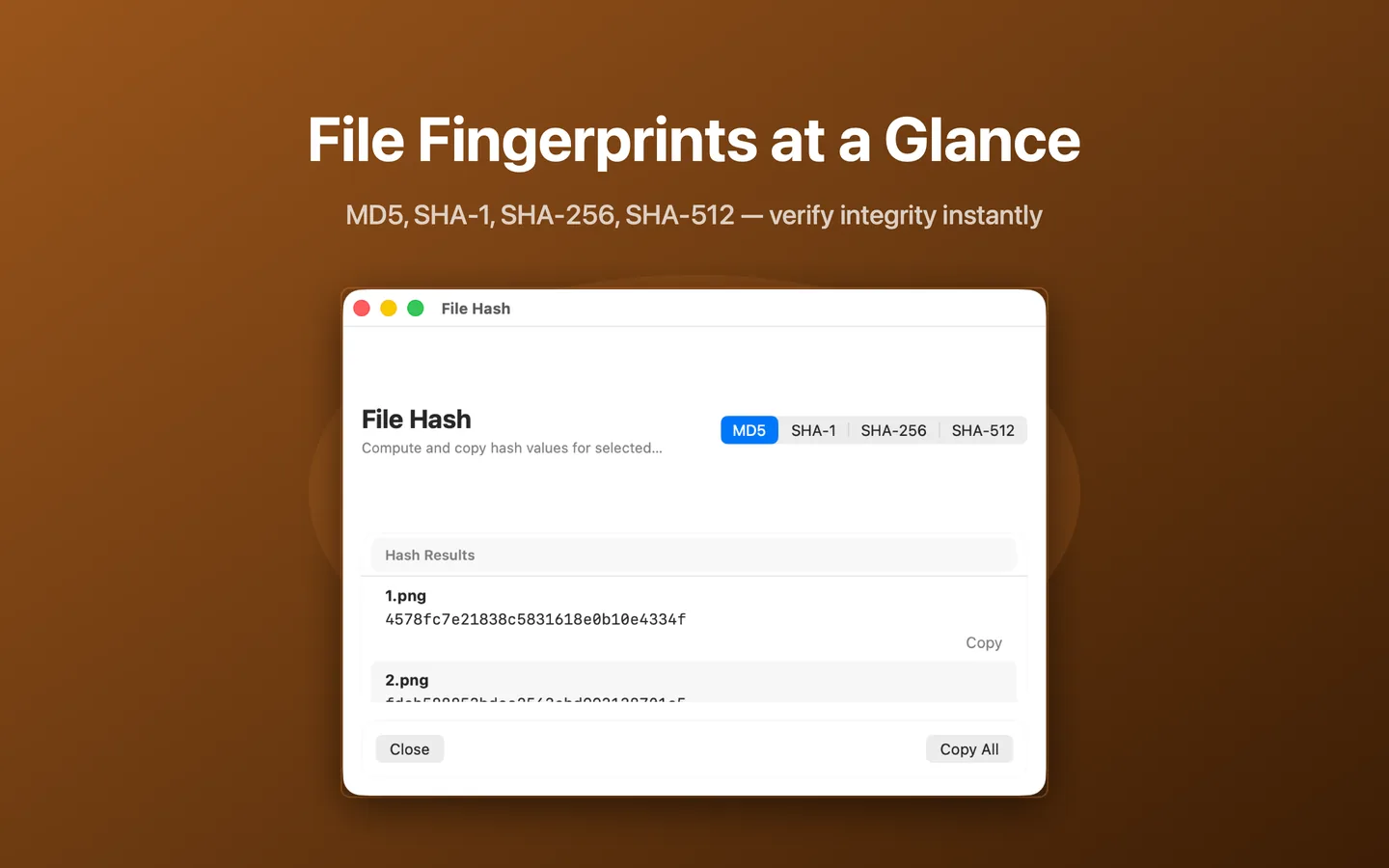
Compute and copy MD5, SHA-1, SHA-256 and SHA-512 hashes.
Convert images between popular formats from the menu.
Find duplicate files by content to reclaim disk space.
Find and clean similar photos in batches.
Visualize folder usage and spot large files fast.
Open Terminal, iTerm2, VSCode or Sublime Text in the folder.
Add, remove, reorder and group context-menu items.
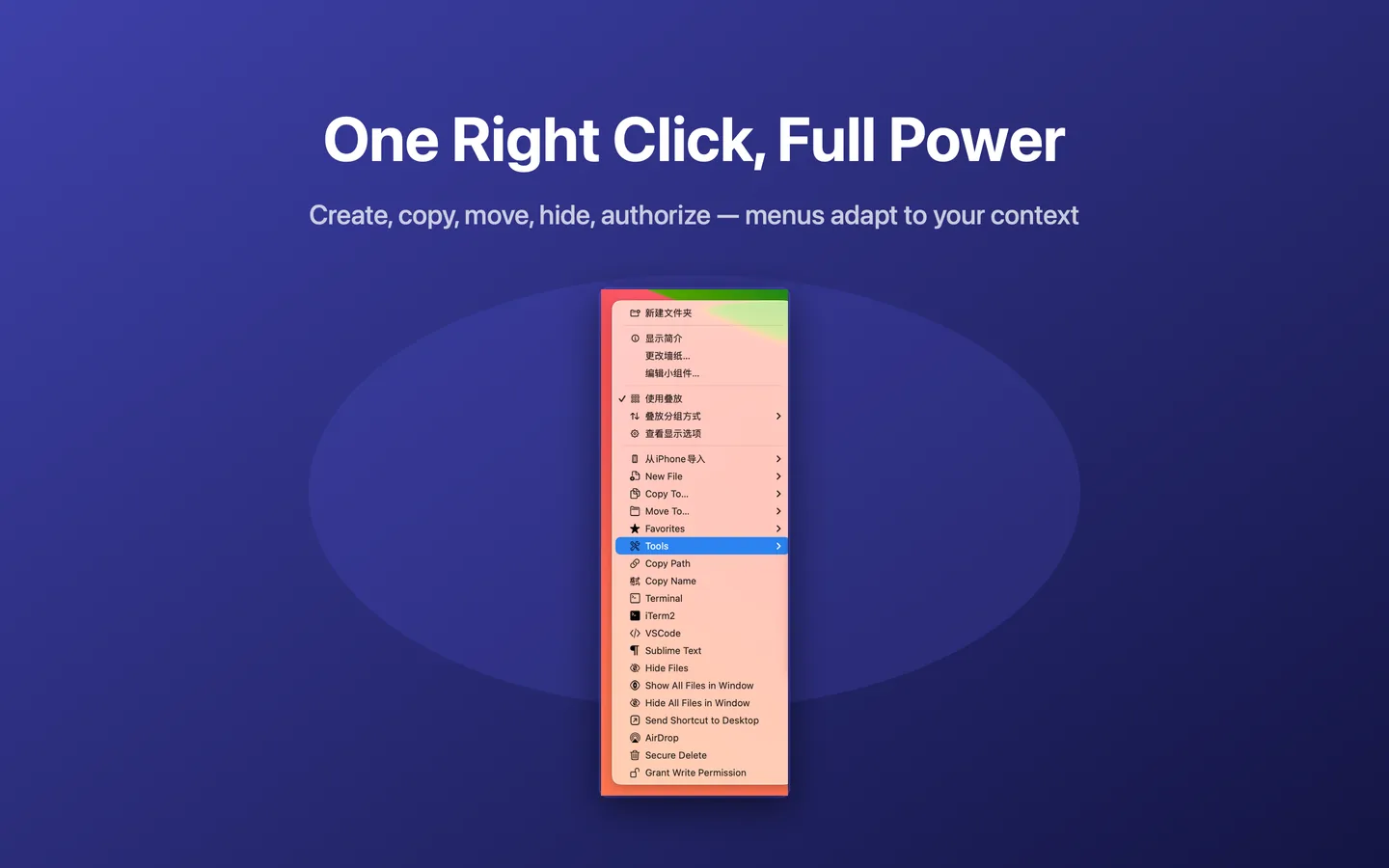
JoyClick adds its actions to the right-click menu and keeps the tools in one place.
These are the tasks people search for every day. JoyClick answers them from the context menu.
Mac Finder has no universal New File command. Learn how to create a new text, Markdown or office file in the current folder, and how JoyClick adds a New File action to the right-click menu.
Rename many files at once on Mac using text replacement, prefixes, suffixes, automatic numbering and extension changes — and see how JoyClick adds a live-preview batch rename tool to the right-click menu.
Copy files to another folder on Mac quickly, and see how JoyClick adds Copy To and Move To actions with favorite destinations to the right-click menu.
Move files faster on Mac by skipping the drag-and-drop shuffle. Learn how JoyClick adds Move To with favorite destinations to the right-click menu.
Find duplicate files on Mac by content, not just by name. Learn how JoyClick’s content-based duplicate finder helps you review and remove copies to reclaim disk space.
Find and clean similar photos on Mac in batches. Learn how JoyClick’s similar photo finder helps you review near-duplicate images and keep the best ones.
JoyClick works through the Finder right-click menu, so there is no new app to learn.
JoyClick requires macOS 14.0+. It is distributed through the Mac App Store as a $8.99 one-time purchase.
JoyClick asks for permission to the folders it works in, so you stay in control of what it can access.
JoyClick adds its actions to the Finder right-click menu: New File, Copy To, Move To, Favorites and Tools.
Create files, rename in batches, copy and move, hash files, find duplicates and open Terminal — all from the context menu.
JoyClick fits a range of Mac workflows, from everyday file tasks to photo organisation and development.
Create files, rename a batch of downloads, and move things into the right folder without juggling Finder windows.
Batch rename shoots into a consistent pattern, find similar photos, and convert images for upload.
Open Terminal, iTerm2, VSCode or Sublime Text in the current folder, and create files without leaving Finder.
Visualize folder usage, find duplicate files and review similar photos before deciding what to remove.
Compute MD5, SHA-1, SHA-256 and SHA-512 hashes for downloads and transfers, and copy the results.
No accounts, no analytics, no network requests. The App Store privacy disclosure is "Data Not Collected."
Every figure below is verifiable on the Mac App Store listing for JoyClick.
Step-by-step answers to the most common Mac file management questions.
Learn how to create a new file on Mac, including the Finder workarounds and how JoyClick adds a New File action with 15 templates to the right-click menu.
Learn how to batch rename files on Mac with text replacement, prefixes, suffixes, automatic numbering and extension changes, including how JoyClick adds a live-preview tool.
Learn how to find duplicate files on Mac by comparing content, and how JoyClick’s content-based duplicate finder helps you review and remove copies.
Learn how to calculate a file hash on Mac with Terminal or with JoyClick, including MD5, SHA-1, SHA-256 and SHA-512 checksums for verifying file integrity.
Learn how to convert images on Mac between popular formats, including how JoyClick adds an Image Convert action to the right-click menu.
Learn how to open Terminal in a specific folder on Mac, and how JoyClick adds Terminal, iTerm2, VSCode and Sublime Text shortcuts to the right-click menu.
JoyClick performs its file operations locally on your Mac. The App Store privacy disclosure is listed as "Data Not Collected."
The App Store privacy disclosure for JoyClick is "Data Not Collected."
Core file operations run locally on your Mac. There is no account to create.
Distributed through the Mac App Store, so it is reviewed and sandboxed by Apple.
JoyClick is a macOS right-click toolkit for faster file management. It adds commonly used file actions directly to the context menu, including new file creation, batch rename, copy and move, file hashing, image conversion, duplicate finding and quick access to Terminal and code editors.
JoyClick is available on the Mac App Store for $8.99. It is a one-time purchase with no subscription.
JoyClick requires macOS 14.0+.
JoyClick can create new files, copy and move files to favorite destinations, batch rename files with a live preview, compute file hashes, convert images, find duplicate files and similar photos, visualize disk space, open Terminal and code editors in the current folder, and customize the right-click menu.
JoyClick is a macOS app distributed through the Mac App Store and requires macOS 14.0+, which runs on both Apple Silicon and supported Intel Macs.
The App Store privacy disclosure for JoyClick is listed as "Data Not Collected." JoyClick performs its file operations locally on your Mac.
No. JoyClick extends Finder by adding actions to the right-click menu. You keep using Finder as usual.
JoyClick is available on the Mac App Store.
Download JoyClick on the Mac App Store. JoyClick - Right-Click Tools · Version 1.0.3 · $8.99 · Requires macOS 14.0+.